Update Excuse
Open Questions from the School
Select the "Excuses" menu item in the menu bar on the left side.
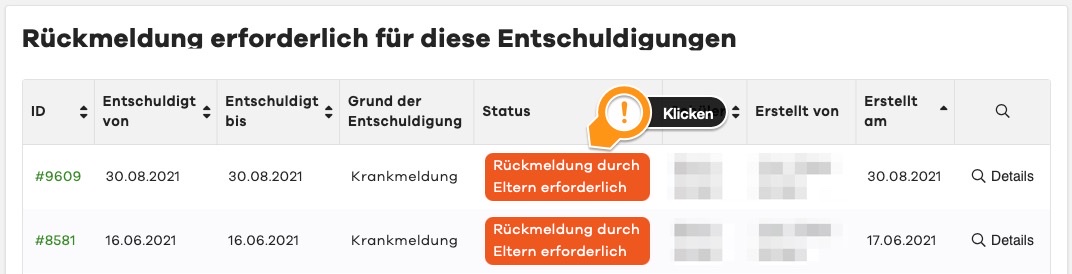
In the upper area, you will now find all excuses for which a response has been requested.
Message History
By clicking on the excuse, you can reopen it and see comments. Please take all further information from the comment field and add your own information and attachments if requested by the school.
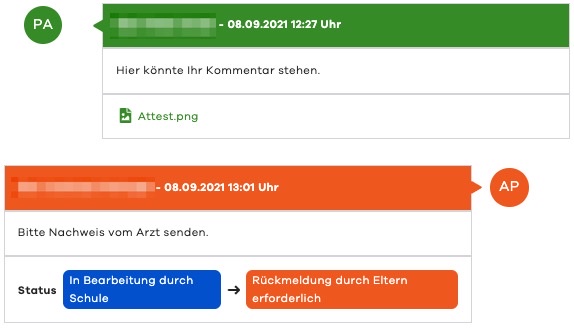
After all necessary information has been provided, you can now update the excuse using the green "Send Comment" button.
Do you need information on creating an excuse?